

Phone fraud: attribute matching
Attribute matching affirms a customer's identity by matching the personal information provided by the customer against their phone carrier records. You can choose which fields to use for verification, match threshold information for each field, how many fields must pass, and select fields that must match for successful verification.
Phone-based verification is currently only available in the US and Canada.
Set up phone-based verification
To configure the Phone fraud: attribute matching step in an identity verification policy:
- Go to Policies > Identity verification in the left-hand menu within the Admin Console.
- Open an existing identity verification policy or create a new one.
- Select the + icon next to Phone fraud: attribute matching to add this step and configure it.
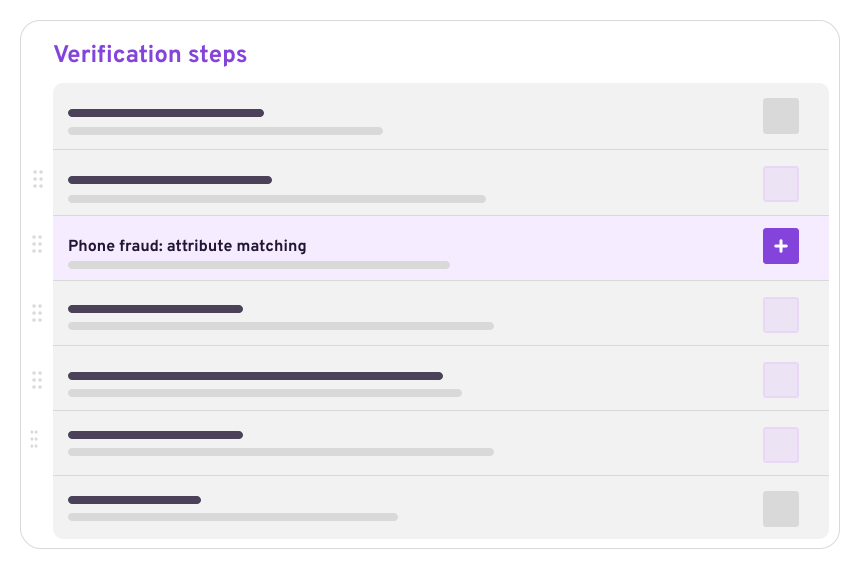
Phone fraud: attribute matching step configuration
Phone number source
Before attribute matching can be performed, the step must be able to read the customer’s phone number.
Select a native claim that is mapped to an account attribute used to store phone numbers. The phone number stored in the mapped account attribute is used as the lookup key for phone-carrier records.
Select a native claim that is mapped to an account attribute specifically created to collect phone numbers.
You can collect phone numbers during registration or by adding a data collection step earlier in the identity verification flow.
Attribute matching rules
The Attributes match section lets you configure how individual customer attributes are evaluated against phone-carrier records.
Each row represents a single attribute and is configured using three columns:
- Native claim mapping: The native claim that provides the customer’s value for this attribute.
- Match threshold: How strictly the customer-provided value must match carrier records.
- Risk impact: What happens if the attribute does not meet the match threshold.
The more attributes you evaluate, the higher the confidence of identity affirmation.
Available attributes
The attributes available for matching are determined by the native claims configured in your instance.
Each row in the Attributes match table corresponds to a native claim that represents customer data, which can be evaluated against phone-carrier records.
ZIP+4 postal codes are not supported. Use standard 5-digit ZIP codes instead.
Match thresholds
For each attribute, select one of the following match thresholds:
- 3 – Exact match: The value must exactly match the carrier’s record. Any difference causes the attribute to fail.
- 2 – High partial match: Allows minor differences such as typos or common variants.
- 1 – Partial match: Allows broader variations, including abbreviations or less common formatting differences.
In addition to the thresholds described above, two other outcomes can appear in the Account Events log when using phone-based verification:
- No match: No correlation exists between the provided phone number and the personal details.
- No data: The phone carrier has no record of the provided phone number.
These outcomes indicate either a failed identification attempt or a lack of data from the carrier.
Risk impact
For each attribute, define how mismatches affect the verification outcome:
- Fail verification: The step fails immediately if the attribute does not meet the threshold.
- Add to attribute failure count: The mismatch increments the failure counter. The step fails only when the configured failure count is reached.
- Do not evaluate: The attribute is ignored and does not affect the outcome.
Customers will continue with the selected Failure action if they fail phone-based verification.
Attributes set to Do not evaluate are displayed but not included in verification logic.
Attribute match failure count
The Attribute match failure count defines how many evaluated attributes must fail before the step fails.
Only attributes configured with Add to attribute failure count contribute to this total.
Example: If the failure count is set to 2, the step fails once two configured attributes fail to meet their thresholds.
Actions
This step returns one of the following outcomes:
- Success: All evaluated attributes meet the configured thresholds. The customer can either go to a Next verification step or can be allowed to log in by selecting Exit verification flow.
- Failure: One or more attributes triggered a failure condition, or the failure count threshold was reached. The customer can either go to a Next verification step or can be removed from the flow by either displaying a Failure message or directing the customer to Exit verification flow, which leads to a session timeout.
You can configure success and failure actions from the left-side panel of the step configuration.
Notes and limitations
- Phone fraud: attribute matching relies on phone-carrier data and is available only in the US and Canada.
- Attribute matching accuracy depends on the availability and quality of carrier records.
- Attributes marked Do not evaluate are excluded from verification logic.
Updated 6 months ago